
The PHP Security Crisis: Should Your Business Reconsider WordPress?

The latest PHP security vulnerabilities are raising important questions about the technology powering millions of websites. But the bigger question isn't whether WordPress is safe. It's whether your website is still built for the business you're becoming.

On October 21, 2026, the PHP development team released emergency security updates addressing two critical vulnerabilities that could allow attackers to execute code on affected servers without authentication.
Both vulnerabilities, identified as CVE-2026-109618 and CVE-2026-109619, received critical severity ratings of 9.2 under CVSS 4.0. The official PHP security advisory urged administrators to update immediately.
These vulnerabilities don't originate in WordPress. They exist within PHP itself, the programming language underlying WordPress and numerous other web applications.
That distinction matters.
A business could be running an updated version of WordPress, maintaining its plugins, following accepted security practices, and still depend on a vulnerable version of PHP managed by its hosting provider.
WordPress responded with its own critical security notice, encouraging website owners to work with their hosting providers to apply the necessary patches.
The immediate response is straightforward: update vulnerable systems and verify that the fixes have been applied.
But the situation raises a question that deserves more attention.
How much do businesses actually understand about the technology their websites depend on?
And perhaps more importantly, when does it make sense to reconsider that technology altogether?

At JAXONLABS, we've been examining that question closely as our approach to website development continues to evolve.
We're increasingly looking beyond WordPress and PHP toward architectures that provide greater control over performance, functionality, integrations, and long-term maintainability.
Not because WordPress is inherently bad.
But because the best technology for launching a website isn't necessarily the best technology for operating and growing a business.

Why WordPress Became the Default
It's difficult to have a serious conversation about website technology without acknowledging what WordPress has accomplished.
According to W3Techs, WordPress powered approximately 40% of websites in October 2026.

That's an extraordinary share of the internet.
And its popularity is well-earned.
WordPress made publishing on the web accessible to people who previously needed significant technical expertise or development budgets. Businesses could launch websites, publish articles, introduce ecommerce capabilities, and manage content without building everything from scratch.
An enormous ecosystem of themes, plugins, developers, and hosting companies emerged around it.
For many organizations, WordPress remains an excellent choice.
A small business that needs a straightforward marketing website, a publication with a well-established editorial workflow, or an organization with experienced WordPress developers may have little reason to switch.
There is genuine value in mature technology with a large support community.
The problem begins when popularity becomes the primary justification for choosing a platform.
We've all heard the recommendation: "Just build it on WordPress."
Sometimes that's the right answer.
But the recommendation often comes before understanding what the website actually needs to accomplish.
And that's where things can get expensive.
The Hidden Costs of a Website That Grows With Your Business
A website is rarely static.
What begins as a handful of pages can evolve into something considerably more complicated.
A business introduces marketing automation, CRM integrations, ecommerce functionality, customer portals, appointment booking, analytics, personalized experiences, and other operational requirements.
Each addition creates new dependencies.
With WordPress, those requirements can often be addressed through plugins.
That's one of the platform's greatest strengths.
It's also where businesses can begin accumulating technical debt.
1. Plugin Dependencies Create Ongoing Responsibility
Consider a company that relies on separate plugins for forms, SEO, caching, security, ecommerce, analytics, page layouts, and marketing integrations.
Individually, each plugin might work perfectly.
Collectively, they introduce an environment that requires coordination and ongoing maintenance.

An update to one component might affect another. A plugin developer might discontinue support. A previously compatible feature might break after a broader system update.
The issue isn't that plugins are inherently problematic.
It's that every dependency introduces another relationship your business needs to maintain.
This becomes especially important when nobody within the organization has a clear understanding of how those components work together.
2. Website Security Extends Beyond the CMS
The October 2026 PHP vulnerabilities demonstrate that website security is not limited to the application a business can see.
The underlying programming language, hosting environment, server configuration, extensions, and third-party components all contribute to the overall security posture.
The PHP Foundation's explanation of the October security release offers a revealing look at the complexity involved.
One underlying issue had been recognized in 2024, but the full implications and practical exploitation paths became clearer through subsequent research. The Foundation acknowledged that limited engineering resources and difficult compatibility decisions contributed to delays in resolving the problem.
That isn't evidence that PHP is uniquely insecure. Complex vulnerabilities exist across programming languages and software ecosystems.
It is, however, a reminder that every technology carries dependencies and operational responsibilities that businesses need to understand.
WordPress introduces additional considerations through its extensive plugin and theme ecosystem.
According to Patchstack's State of WordPress Security in 2026, researchers identified 11,334 new vulnerabilities across the WordPress ecosystem during 2025.
Approximately 91% were found in plugins.
That doesn't mean those vulnerabilities affected every WordPress installation, or that every identified vulnerability was actively exploited.
It demonstrates why maintaining a WordPress website requires more than occasionally updating the core software.
Security needs clear ownership, monitoring, maintenance processes, and an understanding of which components the business relies upon.
3. Performance Becomes More Complicated
Website speed affects how people experience a brand.
Slow pages create friction. Friction makes it more difficult for visitors to find information, evaluate an offer, and complete an intended action.
WordPress can absolutely deliver excellent performance.
However, websites built with numerous plugins, heavy page builders, unnecessary scripts, or inefficient hosting can become increasingly difficult to optimize.
Caching and content delivery networks can solve many performance problems.
But there is a difference between improving an existing implementation and designing an architecture around what the website actually needs to do.
Sometimes the right decision is optimization.
Other times, the underlying approach deserves reconsideration.
4. Maintenance Costs Are Often Underestimated
A website's cost doesn't end when it launches.
There are hosting fees, licenses, security updates, technical support, compatibility testing, development changes, and the less visible cost of managing issues when something stops working.
Perhaps the most expensive outcome is when technical limitations begin influencing business decisions.
A new campaign gets delayed because the website is difficult to modify.
A useful integration is abandoned because implementation is too complicated.
A marketing team avoids making improvements because changes require external development support.
At that point, the website is no longer simply a marketing asset.
It has become an operational constraint.

Why We're Looking Beyond WordPress and PHP
At JAXONLABS, we're increasingly approaching website development from a different perspective.
Rather than beginning with a content management system and working within its capabilities, we want to begin with the needs of the business and determine which technologies make the most sense.
That has led us toward modern frontend architectures, including technologies such as Astro and TypeScript, and systems that separate the website's public-facing experience from the services and applications supporting the business.
This isn't about replacing PHP with JavaScript simply because one technology is newer.
PHP remains actively developed, and modern PHP applications can be secure, performant, and maintainable.
The more meaningful change is architectural.
Separating the Website From the Business Systems
Traditionally, a CMS often handles several responsibilities simultaneously: content management, page rendering, functionality, and integrations.
A more modular architecture can separate those responsibilities.
For example, a website might use a modern frontend framework to deliver content and user experiences while connecting to dedicated systems for ecommerce, bookings, customer information, or other business operations.

A headless CMS can manage content without controlling every aspect of how that content is presented.
Some pages can be generated ahead of time and delivered without running application code on the server for every visitor.
Other features can use APIs or server-side functionality only when required.
This approach can offer several advantages:
Performance: More control over the code, assets, and functionality delivered to visitors.
Flexibility: Greater freedom to design around business requirements rather than platform limitations.
Maintainability: Clearer separation between components, making changes easier to isolate and test.
Integration: The ability to connect specialized business systems without requiring everything to operate inside one CMS.
Security: Opportunities to reduce the publicly exposed application surface and eliminate unnecessary dependencies.
These benefits aren't automatic. They depend on how the architecture is designed, implemented, hosted, and maintained.
But the approach gives us more freedom to make those decisions deliberately.
And freedom matters when business requirements evolve.
The Larger Question: Who Controls Your Digital Infrastructure?
One of the most overlooked considerations in website development is ownership.
Not simply ownership of the domain name or the content.
Ownership in the broader operational sense.

Can your organization understand how its website works?
Can you move between hosting providers or development partners without rebuilding everything?
Can you introduce new functionality without creating layers of dependencies?
Can your marketing team make appropriate changes independently?
And if something goes wrong, do you know who is responsible?
These questions become increasingly important as websites connect with customer data, sales systems, payment services, and operational workflows.
A website shouldn't become a collection of systems that nobody fully understands.
It should be a manageable business asset.
This is one of the reasons our Website Strategy & Conversion approach starts with the business objectives, customer journey, website structure, and conversion opportunities before determining the appropriate technical implementation.
The technology should support the strategy.
Not determine it.
What Are the Best Alternatives to WordPress?
There isn't a universal replacement for WordPress.
Different businesses have different requirements, internal capabilities, budgets, and growth plans.
For a relatively straightforward website, a managed platform may be the most practical solution.
For a business with complex integrations or extensive content requirements, a headless content management system may offer greater flexibility.
For organizations building more sophisticated digital experiences, a custom frontend supported by APIs and dedicated business systems may be more appropriate.
The decision involves trade-offs.
Approach | Potential Advantages | Considerations |
Traditional WordPress | Established ecosystem, accessible publishing, flexible plugins | Maintenance, plugin dependencies, hosting and security oversight |
Managed website platforms | Simpler hosting and maintenance, accessible editing | Platform restrictions, portability and integration limitations |
Headless CMS architecture | Content flexibility, independent frontend development | More technical coordination and potentially higher setup costs |
Custom or hybrid architecture | Control over features, integrations and delivery | Higher engineering responsibility and ongoing maintenance needs |
A company operating a modest informational website may not benefit from a custom development architecture.
Conversely, a business with complex digital requirements may find that continuing to expand a heavily customized WordPress installation creates unnecessary costs and limitations.
The goal isn't to adopt the most sophisticated technology. It's to adopt the right amount of technology for the problem you're solving.
Should You Stay With WordPress, Optimize It, or Rebuild?
Before recommending a website migration, we'd want to understand what isn't working.
A platform change can be expensive, disruptive, and unnecessary if the real issues can be addressed through targeted improvements.
We generally see three possible paths.

Option 1: Stay With WordPress
If your website performs well, remains secure, supports your business requirements, and is easy for your team to maintain, there may be little reason to leave.
The platform you already have can be the most economical choice.
Make sure someone is responsible for maintenance, security updates, backups, and monitoring.
Then continue improving the experience.
Option 2: Optimize What You Have
Sometimes a website feels outdated because the implementation has become unnecessarily complicated.
Excessive plugins, inefficient page templates, poor content structure, outdated integrations, and neglected performance improvements can create problems that don't require a complete rebuild.
An audit might identify opportunities to simplify the existing website, improve loading performance, strengthen security practices, and make it easier for customers to take action.
We've long approached website optimization through three connected priorities: technical performance, content, and conversion.
Those fundamentals matter regardless of the platform.
Option 3: Rebuild Around Current Requirements
A rebuild becomes worth considering when the website's underlying architecture consistently restricts what the business needs to accomplish.
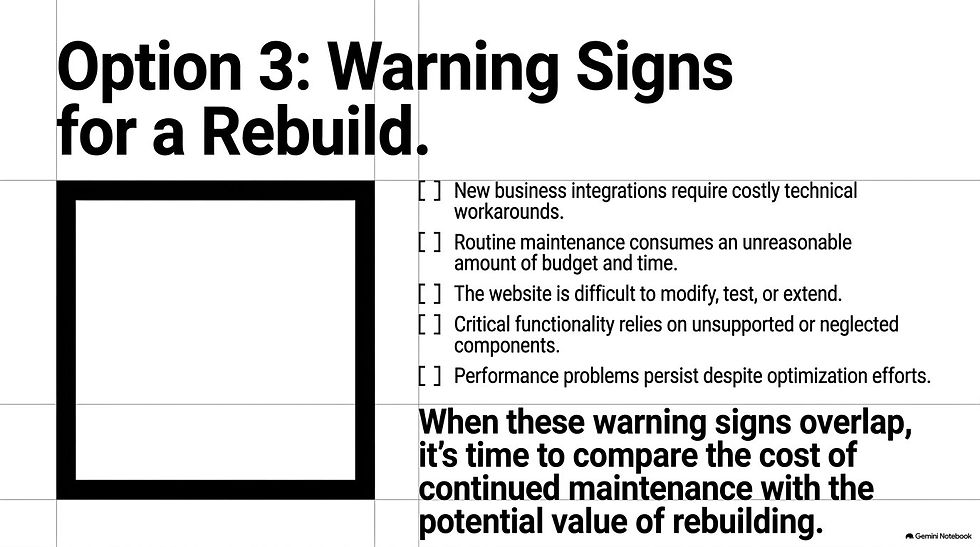
Some warning signs include:
New integrations require costly workarounds.
Maintenance consumes an unreasonable amount of time or money.
The website is difficult to modify, test, or extend.
Performance problems persist despite reasonable optimization.
Critical functionality depends on unsupported or poorly maintained components.
The business needs capabilities that the existing architecture wasn't designed to support.
No single warning sign automatically justifies migration.
But when several problems overlap, it's worth comparing the cost of continued maintenance against the long-term value of a different approach.
Don't Sacrifice Your Search Visibility During a Migration
There's another consideration that deserves particular attention.
A website migration is not simply a development project.
For businesses that depend on organic search, their existing website may represent years of accumulated content, search visibility, backlinks, and customer acquisition.
Replacing the platform without understanding those assets can create unnecessary risk.
Changing the CMS doesn't inherently mean changing your URLs. Preserving existing URLs, useful content, metadata, and internal links can reduce disruption.
Where URLs must change, redirects and mapping become essential.

Google's official site migration documentation recommends carefully preparing and testing the new website, mapping old URLs to their destinations, configuring appropriate redirects, and monitoring performance after the move.
We also recommend establishing a baseline before making major changes.
Understand which pages generate organic traffic, which content supports conversions, how visitors navigate the website, and what performance looks like today.
That way, decisions about the new architecture can be informed by evidence rather than assumptions.
Our Search Visibility & Content Authority services are built around the broader principle that websites should support discoverability, authority, and meaningful business outcomes, not simply look better after a redesign.
A successful migration should preserve what already works while creating room for improvement.
What the PHP Security Incident Should Teach Business Leaders
The October 2026 vulnerabilities are serious.
Organizations running affected PHP versions should prioritize the available security updates and coordinate with their hosting providers.
For WordPress website owners, the installed PHP version can be found in Tools → Site Health → Info → Server.
The PHP project released the following patched versions on October 21:
PHP 8.5.12
PHP 8.4.27
PHP 8.3.36
PHP 8.2.35
Organizations running older PHP versions should consult their hosting providers about supported upgrades or applicable vendor security backports. WordPress itself does not require a core update specifically to resolve these PHP vulnerabilities.
The Canadian Centre for Cyber Security has also advised organizations to apply updates immediately and consider isolating affected internet-facing systems when remediation isn't possible.
But once the immediate security issue is addressed, there's an opportunity to ask a different set of questions.
How are we managing our digital infrastructure?
Are our technology choices still appropriate?
What dependencies have we accumulated?
And are we making deliberate decisions about our technology, or simply continuing with what was originally put in place?
The growing use of AI-assisted security research makes these questions even more important. As the PHP Foundation has discussed, new tools are accelerating vulnerability research and increasing the demands placed on software security teams.
The answer isn't to abandon every established technology whenever a vulnerability appears.
It's to build organizations that understand their technology dependencies and can respond intelligently when circumstances change.
The Future of Your Website Should Start With Your Business Strategy
We're moving beyond WordPress and PHP as default starting points in our own approach to modern website architecture.
Not because those technologies have stopped being useful.
But because we believe there's value in being more deliberate about the systems we build, the dependencies we accept, and the flexibility we preserve for the future.
For some businesses, the right answer will still be WordPress.
For others, it may be a managed website platform, a headless content management system, or a more customized architecture.
What matters is whether the decision supports the business.
A website should help customers understand your value, make confident decisions, and engage with your organization.
It should also be reliable, maintainable, adaptable, and capable of supporting the next stage of growth.
The best time to evaluate your website's architecture isn't necessarily when something breaks. It's before your existing limitations begin determining what your business can accomplish.
Is Your Website Still Built for Where Your Business Is Going?
Before investing in another redesign, introducing new plugins, or committing to a costly platform migration, it helps to understand what's working, what's creating friction, and where the strongest opportunities exist.
At JAXONLABS, we help business leaders evaluate their digital experiences through the lens of strategy, performance, usability, search visibility, and conversion.
Whether the right answer is to stay with your current platform, optimize what you have, or consider a different approach, the objective is the same: make a more informed investment in your digital infrastructure.


